Affiliate Disclosure: This article contains affiliate links. If you purchase a product or complete an eligible action through these links, we may earn a commission at no additional cost to you. Our recommendations are based on our editorial standards and research, not on affiliate partnerships. Learn more in our Affiliate Disclosure.
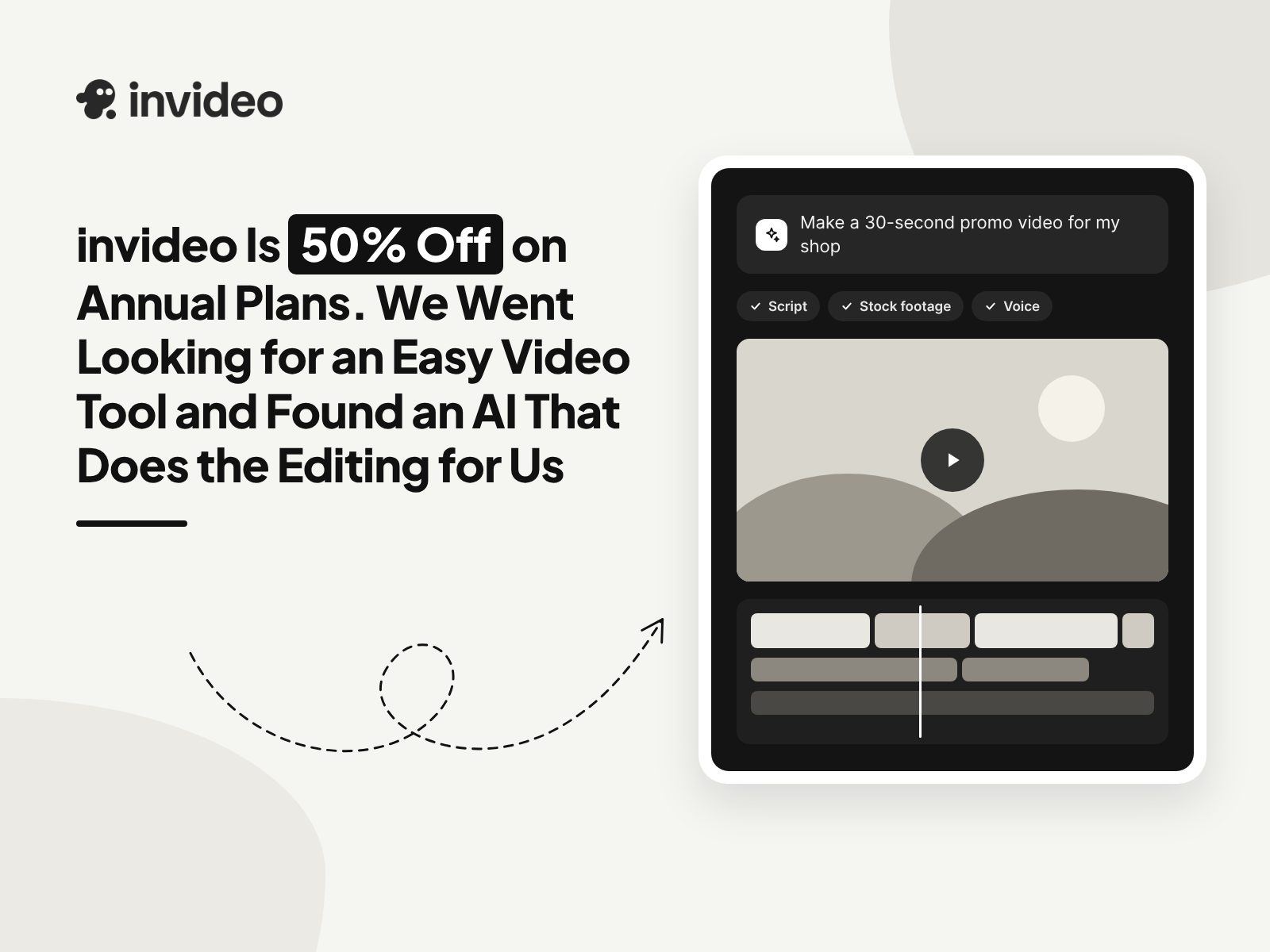
invideo Is 50% Off on Annual Plans. We Went Looking for an Easy Video Tool and Found an AI That Does the Editing for Us
Posted on |
Picture it. Somebody needs a short promo video, like, by Friday. Nobody on the team edits video. And honestly, nobody has the time to learn.
That is pretty much how we ended up on Inviduo. You type what you want. Its AI agent builds the video on a timeline. Then if one part bugs you, you go in and change it by hand. Which, okay, was the part that got us.
Oh, and the timing. Every annual plan is half off right now. The starter works out to $10 a month.
The invideo Deals We Spotted on the Site Today
| Deal | What You Get | Where |
|---|---|---|
| 50% off annual plans | Half the monthly price on every yearly plan | Pricing page |
| 30 days of image models | Unlimited Nano Banana 2.1, Ideogram 4.5 and more | Annual plans |
| Extra sign-up discount | An added discount on premium plans once you sign up | Shown after sign-up |
| Free plan | Try it, no credit card. | Anyone |
About that extra sign-up discount. We had to look twice, but the site never says how much it is. It only shows up after you make an account.
- Best for: people making videos every week. Like, every single week. The 50% lives on the yearly plan.
- Tip: make one video on the free plan first. Liked it? Okay, now go yearly.
Wait, What Is invideo Exactly?
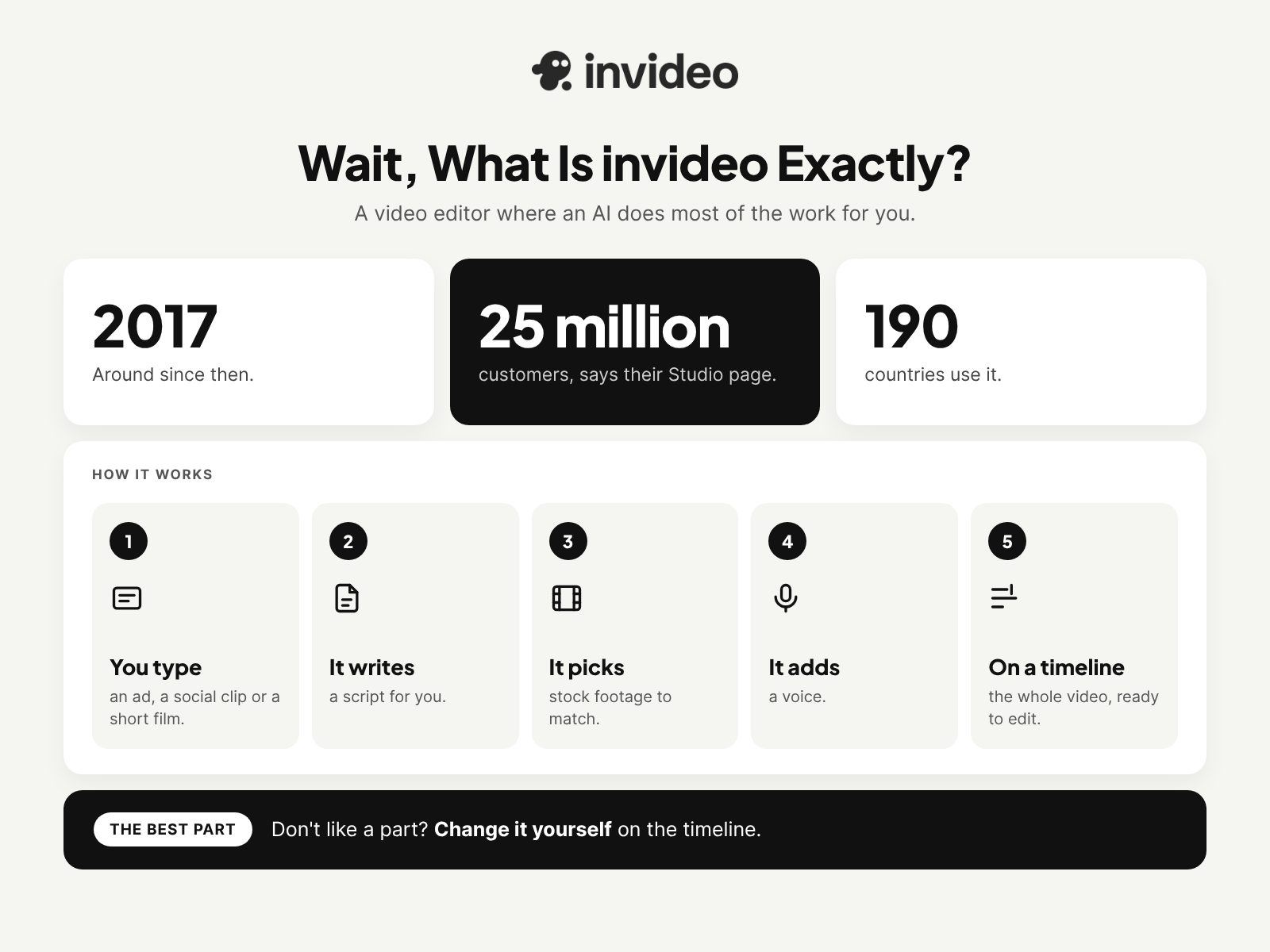
Short version? A video editor where an AI does most of the work for you.
They have been around since 2017. Their Studio page says 25 million customers in 190 countries use it. We read that number twice.
You ask it for an ad. Or a social clip. Or a short film, even. It writes a script, picks stock footage, adds a voice and puts the whole thing on a timeline. Don’t like a part? Change it yourself. Invideo’s own line for this is “Don’t waste time on AI; you have to babysit.” Fair enough.
Small thing, but they spell their name in lowercase. invideo. Not InVideo. So we do too.
The invideo Plans, Laid Out
Quick note first. Every price here is per seat, and the annual prices already have the 50% taken off.
| Plan | Monthly Billing | Annual Billing (per month) | Credits per Month | Premium Stock |
|---|---|---|---|---|
| Free | $0 | $0 | Limited, resets weekly | Watermark on downloads |
| Starter | $20 | $10 | 400 | 100 |
| Plus | $60 | $30 | 2,000 | 200 |
| Max | $150 | $75 | 5,000 | 500 |
The nice surprise was credits. Exporting a video uses zero. Editing on the timeline by hand? Also zero. One thing to know, though. Unused credits don’t roll over, so try to use them up each month.
- Best for: most small teams; honestly, it’s Plus. 2,000 credits, up to 10 seats, and then 10 free guest seats on top of that.
- Tip: invideo says Max has the lowest cost per credit. If video is basically your whole week, look at it.
The Bits That Caught Our Eye
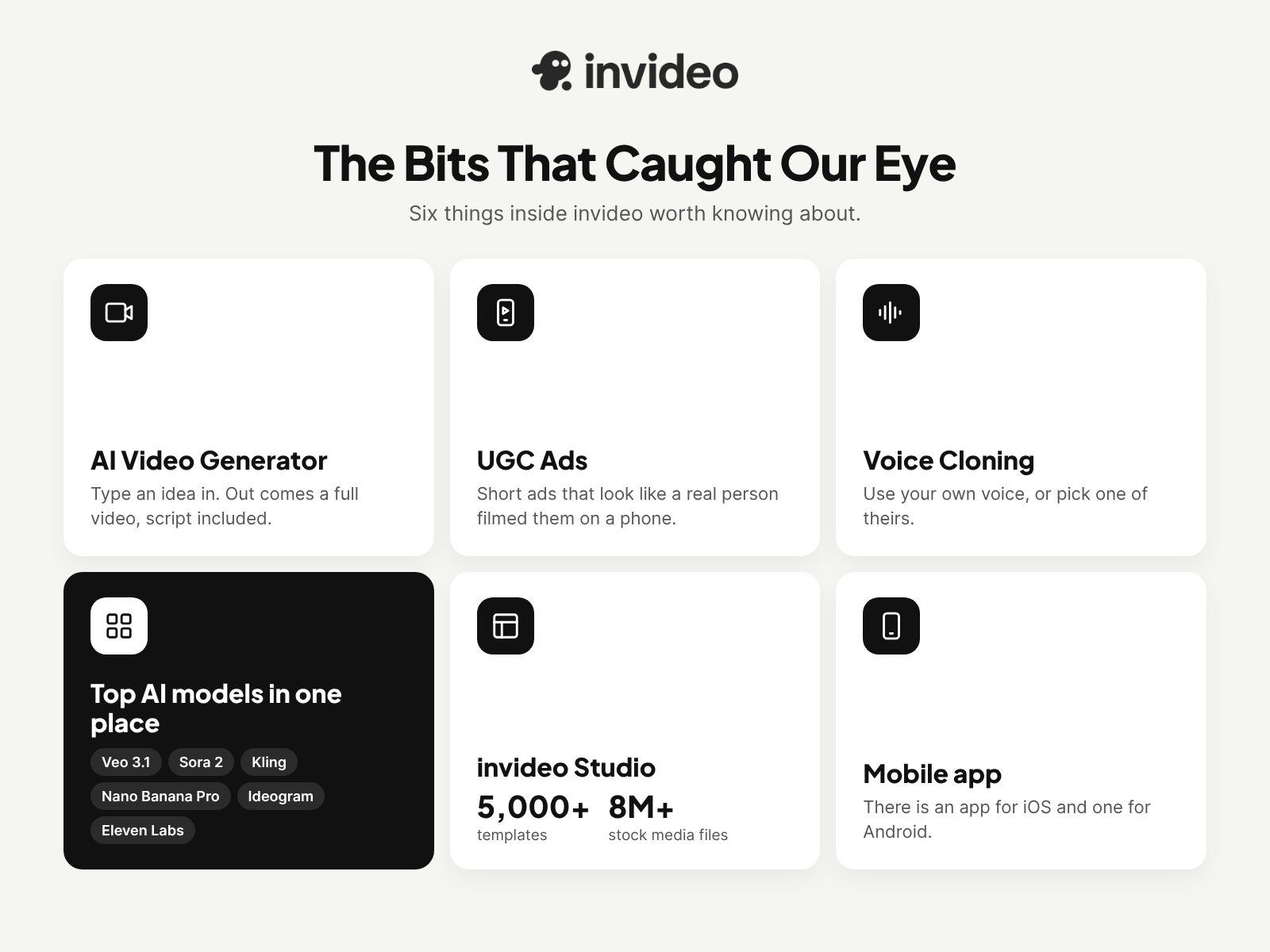
AI Video Generator. Type an idea in. Out comes a full video, script included.
UGC Ads. Short ads that look like a real person filmed them on a phone. Small online shops, this one is kind of made for you.
Voice Cloning and AI Voice Generator. Your own voice, or pick one of theirs. Handy on the days you just don’t feel like recording.
Top AI models in one place. Video gets Google Veo 3.1, Sora 2, Kling and more. For images there is Nano Banana Pro and Ideogram. Audio? Eleven Labs.
invideo Studio. The classic editor. It has 5,000+ templates and over 8 million stock media files, which is a lot of scrolling.
And yep, there is a mobile app as well for iOS and Android. It sits at 4.5 on the App Store.
How We Would Make Credits Last
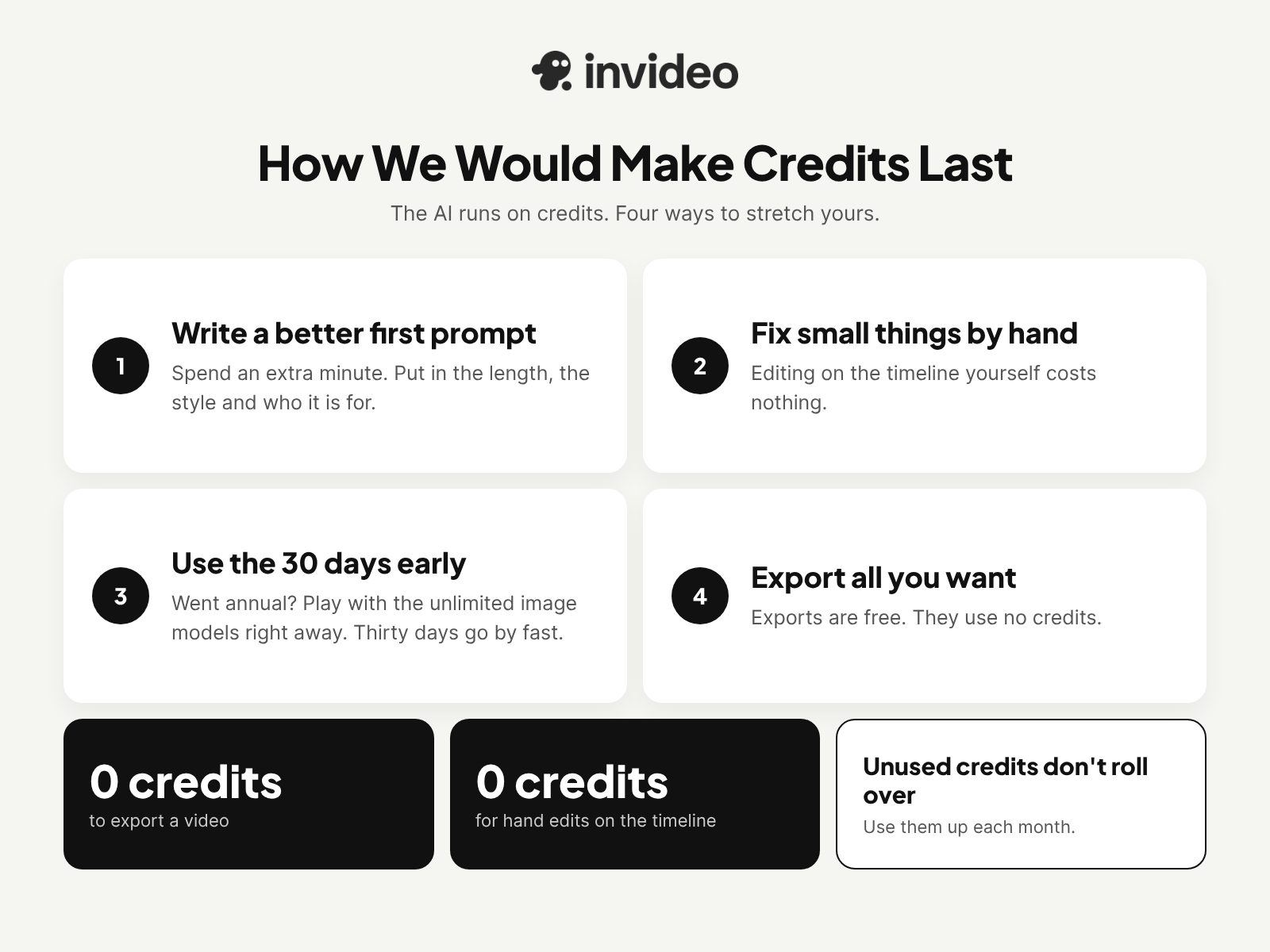
The AI runs on credits. Here is how we would stretch yours.
- Spend an extra minute on the first prompt. Length, style, and who it is for. Put all of it in.
- Small fix? Do it by hand on the timeline. Costs nothing.
- If you went annual, play with the 30 days of unlimited image models early. Thirty days go by fast.
- Export all you want, really. Exports are free.
How invideo Stacks Up on Price
| Feature | invideo | Pictory | HeyGen | Synthesia |
|---|---|---|---|---|
| Free plan | Yes, no card. | 14-day free trial | Yes, $0 | Yes, $0 basic. |
| Lowest paid plan | Starter, $10/mo yearly | Starter: $25/mo yearly | Creator, $24/mo yearly | Starter, $29/mo |
| Mid plan | Plus, $30/mo yearly | Professional, $35/mo yearly | Pro, $49/mo | Pro, $89/mo |
| Many AI video models | Yes, Veo, Sora, Kling and more. | Check site | Check site | Check site |
| Live deal | 50% off annual plans | Check site | Check site | Check site |
Look at that second row for a second. invideo Starter: $10 a month on yearly billing. Nobody else in the table starts that low.
- Best for: folks who want a big pile of AI models and would rather not pay for each one on its own.
- Tip: check what a single credit actually buys you. Then look at the plan price.
Why invideo Might Be Worth a Look
Here is the thing. Most video tools make you pick. Either the AI does it all, or you sit in an editor and do it all yourself.
invideo gives you both, kind of. The agent edits first. You take over whenever you feel like it.
- Yearly plans are half off. Right now, anyway.
- Exporting? No credits used.
- Ratings: 4.5 on Capterra, 4.2 on G2.
- invideo says its live chat runs 24/7.
- For teams, the security is SOC 2 and GDPR compliant.
Who We Picture Using invideo
- Small shop owners. You need product ads and there is no video person around.
- YouTubers and TikTok creators posting a few times a week.
- Marketers. Especially the ones who are tired of waiting on an agency.
- Got a team? Plus and Max come with free guest seats.
- And if you just want to poke around AI video without paying, the free plan is sitting right there.
Good to Know Before You Pay
- Refunds. You get 7 days from purchase or renewal. That only works if you have not made or downloaded anything yet.
- Renewal. Plans renew on their own. Worth a note on your calendar if you think you might switch.
- Pay with a credit card, Apple Pay or Google Pay.
- Help. Email support@invideo.io, hop on live chat, or ask in their Discord community.
Stuff People Ask About invideo
Wait, is there a coupon code?
We looked. Nothing on their site right now. Honestly, you don’t need one. The 50% off every annual plan works with no code.
Can you use it for free?
Yep. No card, either. Your downloads do get a watermark, though.
So what does it cost a month?
The starter is $20 on a monthly basis. Pay for the year, and it’s $10 a month.
Do exports eat up credits?
Nope. Exports are free. Hand edits too.
Which AI models are in there?
For video, Google Veo 3.1, Sora 2 and Kling. Images get Nano Banana Pro and Ideogram. Audio is Eleven Labs. And there are more on top of those.
Will it run on my phone?
It will. There is an app for iOS and one for Android.
What if I change my mind?
You can get a refund within 7 days. The one rule is you can’t have used the plan to make or download anything.
Final Verdict
We went looking for an easy video tool. What we found was an AI that handles the hard part and still lets you fix the small stuff yourself.
A half-off yearly is a pretty good reason to try it. A starter at $10 a month is where we would begin. Need more room? Plus is $30.
Start with the free plan today in InVideo; no card needed. Then, if you like it, grab the yearly deal while it’s still 50% off.